Then whenever you want Verbose to read the text on your screen just push that key and the software will read it aloud.
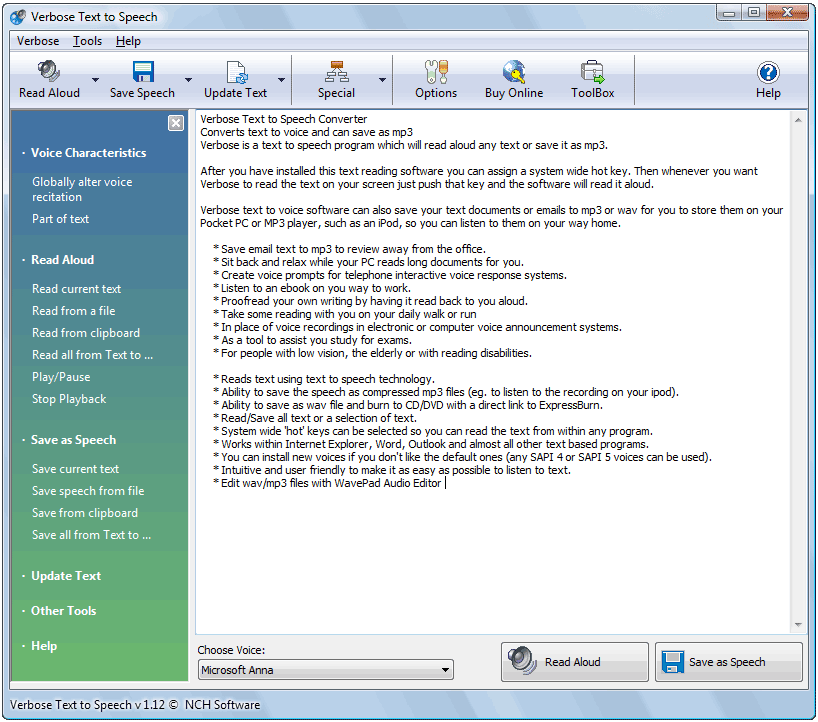
· Reads text using text to speech technology.
· Ability to save the speech as compressed mp3 files (eg. to listen to the recording on your ipod).
· Ability to save as wav file and burn to CD/DVD with a direct link to ExpressBurn.
· Read/Save all text or a selection of text.
· System wide 'hot' keys can be selected so you can read the text from within any program.
· Works within Internet Explorer, Word, Outlook and almost all other text based programs.
· You can install new voices if you don't like the default ones (any SAPI 4 or SAPI 5 voices can be used).
· Intuitive and user friendly to make it as easy as possible to listen to text.
· Edit wav/mp3 files with WavePad Audio Editor
Download:
http://www.nch.com.au/verbose/vbsetup.exe
No comments:
Post a Comment